Output methods
| Method | Returns |
|---|---|
getBarcodeSVG(...) |
SVG markup string |
getBarcodeHTML(...) |
HTML (div/span) markup |
getBarcodePNG(...) |
Base64-encoded PNG |
getBarcodeJPG(...) |
Base64-encoded JPEG (1D) |
getBarcodePNGPath(...) |
Relative path to a PNG written under the store path |
getBarcodeJPGPath(...) |
Relative path to a JPEG written under the store path (1D) |
Common options
1D (DNS1D)
getBarcodePNG($code, $type, $w = 2, $h = 30, $color = [0,0,0], $showCode = false, $bgcolor = null)
getBarcodePNGPath($code, $type, $w = 2, $h = 30, $color = [0,0,0], $showCode = false, $bgcolor = null, $filename = null)
2D (DNS2D)
getBarcodePNG($code, $type, $w = 3, $h = 3, $color = [0,0,0], $bgcolor = null)
getBarcodePNGPath($code, $type, $w = 3, $h = 3, $color = [0,0,0], $bgcolor = null, $filename = null)
$color— RGB foreground[r, g, b](SVG/HTML use CSS color strings)$showCode— print human-readable text under 1D bars$bgcolor— RGB background, ornullfor transparent (default)$filename— optional custom file name for*Pathhelpers (extension optional; path segments are stripped)
// Custom file name → storage/.../product-42.png
DNS2D::getBarcodePNGPath($url, 'QRCODE', 6, 6, [0, 0, 0], [255, 255, 255], 'product-42');
Quiet zone (padding) for print / scanners
Printed barcodes often fail to scan when bars sit flush against the page edge or other graphics. Add a quiet zone with setPadding() (pixels on every side):
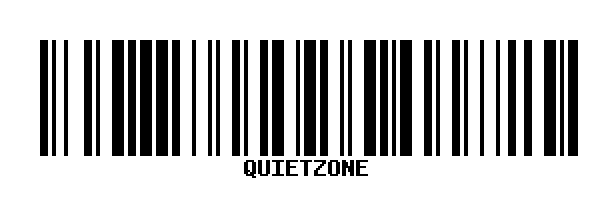
// ~10× bar width is a common 1D rule of thumb ($w = 2 → padding 20)
DNS1D::setPadding(20);
echo DNS1D::getBarcodeSVG($code, 'C128', 2, 80);

DNS2D::setPadding(4 * 6); // ~4 modules around a QR with $w = 6
echo '<img src="data:image/png;base64,' . DNS2D::getBarcodePNG($url, 'QRCODE', 6, 6, [0, 0, 0], [255, 255, 255]) . '">';

DNS1D::setPadding(0); // reset (instances/facades keep the value until changed)
SVG output also sets shape-rendering="crispEdges" to reduce print-time anti-alias blur.
QR logo (centered)
Overlay a logo on QR / Datamatrix PNG output (GD). Use high error correction (QRCODE,H) and keep the logo modest (~15–25% of width) so scanners still read the code.
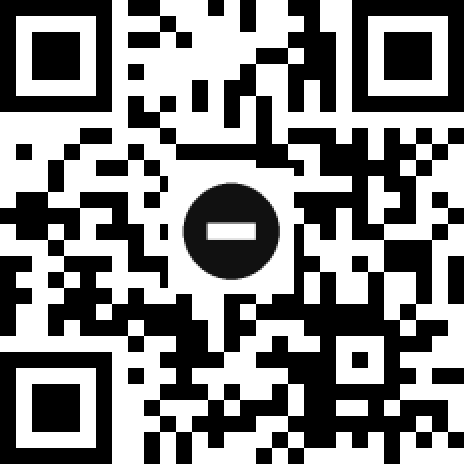
DNS2D::setLogo(storage_path('app/logo.png'), 0.2);
echo '<img src="data:image/png;base64,' .
    DNS2D::getBarcodePNG($url, 'QRCODE,H', 6, 6, [0, 0, 0], [255, 255, 255]) .
    '">';
DNS2D::setLogo(null); // clear
Retail UPC-A / EAN layout
EAN-8, EAN-13, UPC-A, and UPC-E now use taller guard bars and, when $showCode is enabled, split human-readable digits (number system / left / right / check) instead of one centered string.
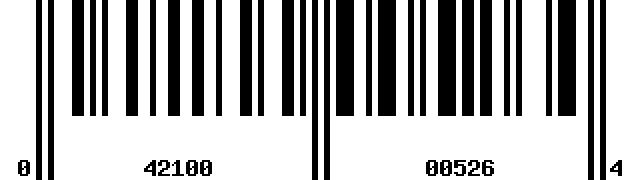
echo '<img src="data:image/png;base64,' .
    DNS1D::getBarcodePNG('042100005264', 'UPCA', 3, 90, [0, 0, 0], true, [255, 255, 255]) .
    '">';